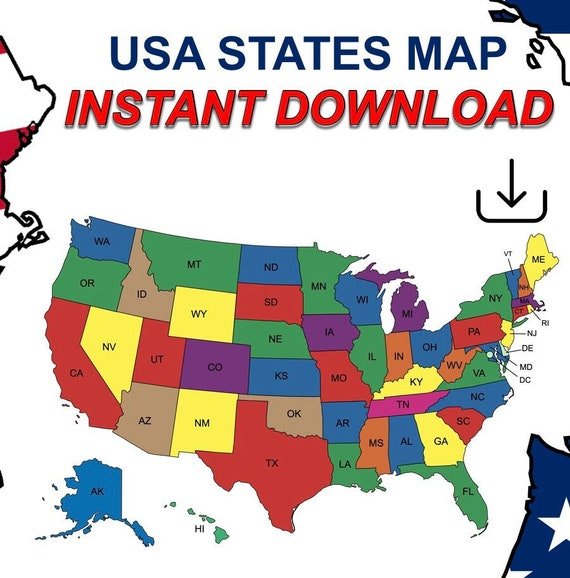
Imagine trying to understand the intricate pulse of a nation without being able to truly see it. Static tables and endless spreadsheets tell part of the story, but it's the visual narrative, the geographic context, that truly brings data to life. That's the profound impact of Interactive US State Maps & Explorers – they transform raw statistics into actionable insights, revealing patterns and trends that shape communities, economies, and lives across the American landscape.
These powerful digital tools aren't just fancy visualizations; they are dynamic gateways to understanding everything from population shifts and economic activity to health outcomes and internet access, all presented with the intuitive power of geography. Whether you’re a policymaker, a business owner, a student, or simply a curious citizen, mastering these explorers is like gaining a superpower for civic engagement and informed decision-making.
At a Glance: What You'll Discover Here
- Why Interactivity Matters: Move beyond static data to dynamic, on-demand insights.
- The Census Bureau's Toolkit: A deep dive into the extensive (and often underutilized) suite of interactive maps and data explorers offered by the U.S. Census Bureau, covering demographics, economics, and operational data.
- Beyond Government Data: A look at other valuable interactive state map resources.
- Maximizing Your Exploration: Practical tips and best practices for navigating complex data, avoiding common pitfalls, and extracting meaningful information.
- Real-World Applications: How businesses, policymakers, educators, and everyday citizens leverage these tools.
- Your Questions Answered: Addressing common queries about data accuracy, frequency, and usability.
Beyond Static Pages: Why Interactive Maps & Explorers Are Game-Changers
For generations, geographic data was the domain of cartographers and specialized analysts, buried in thick atlases or cumbersome Geographic Information Systems (GIS). Today, interactive maps democratize this power, making sophisticated spatial analysis accessible to anyone with an internet connection.
Think of it this way: a traditional map tells you where something is. An interactive map, however, tells you what's happening there, who lives there, how it's changing, and why it matters. You can click, zoom, filter, and layer different data sets to reveal relationships that would be invisible in a static report. This isn't just about pretty pictures; it's about empowerment. It allows you to get started with understanding complex census data in a way that truly resonates.
Need to pinpoint communities with high unemployment? Track the spread of a specific demographic group? Identify potential markets for a new business? These explorers offer immediate visual answers, helping you see the unseen and connect the dots across vast amounts of information. They are indispensable for anyone seeking a deeper comprehension of the complex tapestry that makes up the United States.
The Powerhouse: Unpacking the Census Bureau's Extensive Toolkit
The U.S. Census Bureau is, without a doubt, the single richest source of public data about the American population and economy. But it’s not just raw numbers; they provide an incredible array of interactive tools designed to help you visualize and explore this data with ease. Let's break down some of their most impactful offerings.
Demographic & Social Insights: Understanding People and Communities
These tools help you paint a vivid picture of who lives where, what their lives are like, and how they interact with their environment.
- 2020 Census Demographic Data Viewer: This is your go-to for foundational population data. It provides 2020 Census data at state, county, and even granular census tract levels. You can quickly see breakdowns of age, race, ethnicity, and housing occupancy, allowing for detailed comparisons across different geographic areas. For instance, you could compare the age distribution of Florida counties versus those in New England.
- Digital Equity Act Population Viewer: In an increasingly connected world, broadband access is essential. This viewer highlights demographics alongside crucial data on broadband internet availability and adoption by state, county, and census tract. It’s an invaluable tool for understanding the digital divide and informing efforts to bridge it, helping you visualize the state of broadband access across America.
- SAHIE Interactive Data Tool (Health Insurance): Health insurance coverage is a critical indicator of societal well-being. This tool provides model-based estimates of health insurance coverage for counties and states, offering insights into insured versus uninsured populations, and helping policymakers identify areas needing greater support.
- SAIPE Interactive Data Tool (Poverty): Understanding economic well-being is vital. The SAIPE tool lets you view small-area modeled income and poverty data in map form, down to school district levels. This granular detail is crucial for allocating resources and evaluating poverty alleviation programs.
- Household Pulse Survey Interactive Tool: Life can change quickly, and the Household Pulse Survey captures these shifts in near real-time. This interactive tool explores data from the survey, which collects information on topics like employment, food security, housing, and mental health, often in response to current events or crises.
- Centers of Population Story Maps: These engaging story maps offer a fascinating look at how the geographic center of the U.S. population has shifted over time. They combine historical data, maps, and narrative to illustrate demographic migration patterns and growth.
- Rural America: A Story Map: What does "rural" really mean? This interactive story map clarifies the Census Bureau's definition, using maps, tables, and images to help you visualize and understand the characteristics of rural areas across the country.
Economic & Business Intelligence: Spotting Trends and Opportunities
For businesses, planners, and economists, these tools offer critical insights into markets, labor, and economic conditions. This is where you can understand key economic indicators at a glance.
- Census Business Builder (CBB): This is a powerful suite for entrepreneurs and small businesses. CBB allows users to select a business type and geographic area, then generates reports with selected demographic and economic data. It's perfect for market analysis, site selection, or simply understanding the competitive landscape of a particular region.
- EDA (Economic Development Administration)-Census Poverty Status Viewer: Economic development relies on identifying areas of need. This viewer measures high poverty areas and persistent poverty counties using data from the American Community Survey, SAIPE, and decennial census, making it a key resource for economic development professionals.
- OnTheMap (Employment): Developed using Longitudinal Employer-Household Dynamics (LODES) data, OnTheMap is a robust tool for analyzing where workers live and where they work. It's invaluable for understanding commuting patterns, labor market dynamics, and the economic interdependence of regions.
- OnTheMap for Emergency Management: Building on the core OnTheMap functionality, this tool integrates employment and residence data with emergency event data from federal agencies. It helps emergency managers assess potential impacts of disasters on populations and critical infrastructure.
- Data Visualization Gallery: While not a single map, this gallery provides weekly explorations of Census data in various visualized and interactive formats. It's a great place to see what's possible with Census data and discover new ways to visualize information for accessibility and impact.
Census Operations & Quality: Understanding the Data Collection Process
These tools provide transparency into how the Census Bureau conducts its monumental task of counting everyone, ensuring data quality and outreach effectiveness.
- 2020 Census Address Count Listing Files Viewer & Current Census Address Count Listing Files Viewer: These viewers display 2020 housing unit and group quarters counts by census block. The current viewer supplements data released in July 2025, offering up-to-date insights into housing inventory. They're essential for anyone needing precise address-level data for planning or analysis.
- 2020 Census In-Field Address Canvassing (IFAC) Viewer: This tool shows the percentage of basic collection units and housing units in 2020 Self-Response Type of Enumeration Areas that were verified by in-person canvassing. It speaks to the rigorous efforts to ensure comprehensive data collection.
- 2020 Census Mail Contact Strategies Viewer: Community leaders and organizations can use this to understand and plan mailings for the 2020 Census self-response phase, ensuring targeted outreach for maximum participation.
- 2020 Census Quality Metrics Viewer: Quality control is paramount. This viewer allows users to explore 2020 Census operational quality metrics for counties and census tracts, providing transparency into data collection accuracy and completeness.
- 2020 Census Type of Enumeration Area (TEA) Viewer: Ever wonder how certain areas were invited to respond to the census? This tool illustrates the different methods used, from self-response to in-person enumeration, by geographic area.
- Puerto Rico Predominant Address Type Viewer: Specific to Puerto Rico, this viewer shows predominant address types by census block based on housing unit addresses, crucial for understanding mailing complexities in the territory.
- Response Outreach Area Mapper (ROAM): This powerful tool identifies hard-to-survey areas based on demographic and socioeconomic characteristics. It's a cornerstone for targeted outreach efforts, ensuring that historically undercounted populations are reached.
- Housing Unit Change Viewer: 2020 to 2025: Population growth and housing development go hand-in-hand. This viewer depicts changes in housing units from 2020 to 2025, offering insights into regional growth patterns and housing market dynamics.
Historical & Boundary Data: Context and Geographic Infrastructure
To understand the present, we often need to look to the past or delve into the fundamental geographic frameworks.
- Historical Apportionment Data Map: This fascinating map displays over 10 decades of apportionment and population data, showing how congressional seats have been allocated based on population shifts throughout U.S. history. It's a powerful visual of political and demographic change.
- TIGERweb: For the true data geeks and GIS professionals, TIGERweb is a visualization tool for the Topologically Integrated Geographic Encoding and Referencing (TIGER) data. This includes legal and statistical boundaries (like states, counties, census tracts) and geographic features (roads, rivers). It's the underlying geographic fabric upon which much of the Census Bureau's data is built.
Beyond the Feds: Other Useful State Explorers
While the Census Bureau offers unparalleled depth, other platforms provide different types of interactive experiences, often with a focus on ease of use or specific information.
For example, an Interactive US States Map by mapology.io allows for straightforward exploration of all 50 states. With a simple click, you can pull up essential information like a state's capital, population, and key facts. These types of simplified explorers are fantastic for quick look-ups, educational purposes, or generating a random American state for a trivia game. They often focus on high-level data points rather than the intricate layers found in government tools.
Many state governments also host their own interactive mapping portals, often focused on specific themes like environmental data, transportation infrastructure, or zoning regulations. University research centers and non-profits frequently develop specialized tools to visualize their own data sets, offering unique perspectives on regional issues. Exploring these diverse platforms can provide a holistic view that combines national statistics with local specifics, helping you to dive into state capitals and interesting facts and more.
How to Navigate and Maximize These Tools
With such a rich landscape of interactive maps, knowing how to approach them strategically can save you time and yield better insights.
1. Start with a Clear Question
Before you even open a map, ask yourself: "What am I trying to learn?" Are you looking for demographic trends, economic indicators, or perhaps something specific about housing or health? A clear question will guide your choice of tool and help you filter through layers of information effectively. Without a specific query, you might get lost in the sheer volume of available data. For example, if you're trying to compare broader demographic trends between states, you'd start with the 2020 Census Demographic Data Viewer, not TIGERweb.
2. Understand the Data Layers and Legends
Interactive maps often present multiple layers of data. Don't just look at the default view. Explore the legend and available layers. Can you add income data on top of population density? Can you filter by age group or housing type? Understanding what each color, shade, or symbol represents is crucial for accurate interpretation. A quick glance at the legend can often clarify what you're seeing.
3. Leverage Filtering, Export, and Report Options
The real power of interactive explorers lies in their flexibility. Use filtering options to narrow down your focus (e.g., "counties with populations over 100,000," or "areas with broadband adoption below 70%"). Many tools also allow you to generate custom reports or even export the underlying data for further analysis in spreadsheets or other GIS software. Don't be shy about experimenting with these features; they unlock deeper insights.
4. Cross-Reference Information
No single data point tells the whole story. If you're looking at poverty rates in a region, consider cross-referencing that with health insurance coverage or educational attainment data from other tools. Combining insights from different Census Bureau explorers can create a much more comprehensive and nuanced understanding of a community.
5. Pitfalls to Avoid
- Misinterpreting Data: Be mindful of the data's source and definitions. "Poverty" as defined by SAIPE might differ slightly from another dataset. Always check the methodology.
- Overgeneralizing: While interactive maps reveal trends, they represent aggregate data. Don't make assumptions about individuals based on generalized area statistics.
- Relying on Outdated Information: Always check the "last updated" date. While decennial census data is fixed for a decade, other surveys (like the ACS or Household Pulse) are more frequently updated.
- Ignoring Margin of Error: For survey-based data (like the American Community Survey), there's always a margin of error. Reputable tools will provide this; understand its implications for your analysis.
- Poor Geographic Scale: Using state-level data to make conclusions about a specific neighborhood is a common mistake. Zoom in to the smallest relevant geographic unit (county, census tract, block group) for local insights.
Real-World Impact: Who Benefits and How?
These tools are not academic exercises; they drive real-world decisions and create tangible value across various sectors.
- Businesses: Entrepreneurs use the Census Business Builder to identify optimal locations for new stores based on local demographics, income levels, and competitive landscapes. A coffee shop owner might look for tracts with high foot traffic, strong median household income, and a large proportion of young professionals, then cross-reference with existing coffee shop density. Retailers can pinpoint emerging markets for expansion or understand regional consumer behavior.
- Policymakers and Government Agencies: Local, state, and federal agencies rely on these maps for evidence-based decision-making. They use tools like the Digital Equity Act Population Viewer to target broadband infrastructure investments in underserved areas or the SAIPE tool to allocate funds for school lunch programs where poverty is highest. Emergency managers leverage OnTheMap for Emergency Management to plan disaster responses, knowing where populations live and work.
- Researchers and Academics: Social scientists, demographers, and urban planners use these explorers for spatial analysis, identifying correlations between different variables (e.g., housing density and public transport usage). They might use the Housing Unit Change Viewer to study urban sprawl or gentrification patterns.
- Educators and Students: From high school civics classes to university geography courses, these interactive maps provide engaging, hands-on learning experiences. Students can visually explore population pyramids, migration patterns, or electoral apportionment shifts, making abstract concepts concrete.
- Engaged Citizens and Community Leaders: Concerned residents can use ROAM to advocate for better census outreach in their hard-to-count neighborhoods. Community organizers can leverage demographic viewers to understand the needs of their constituents and present data-backed arguments to local authorities. Whether it’s advocating for a new park or understanding local voting patterns, these tools empower grassroots action.
Common Questions About Interactive US State Maps
Are these tools free to use?
Yes, all the interactive mapping tools provided by the U.S. Census Bureau are completely free and publicly accessible. Many other government agencies and non-profit organizations also offer free interactive maps. Commercial platforms may offer subscription-based services with enhanced features or proprietary data.
How often is the data updated?
This varies significantly by tool and data source.
- Decennial Census Data (e.g., 2020 Census Demographic Data Viewer): Updated every ten years.
- American Community Survey (ACS) Data (e.g., within Census Business Builder, SAHIE, SAIPE): Generally updated annually, providing more current estimates between decennial censuses.
- Household Pulse Survey: Updated frequently, often weekly or bi-weekly, to capture rapid shifts.
- OnTheMap (LODES data): Typically updated annually or semi-annually.
- Operational Viewers (e.g., 2020 Census Quality Metrics): Reflect specific census operational periods.
Always look for a "Data Vintage" or "Last Updated" date on the tool or its accompanying documentation.
Can I download the data for my own analysis?
Absolutely. Most Census Bureau interactive tools offer options to download the underlying data, often in formats like CSV (Comma Separated Values), Excel, or GeoJSON/Shapefile for GIS software. This allows users to conduct custom analyses, create their own visualizations, or integrate the data into larger projects. Look for buttons labeled "Download," "Export," or "API."
What's the difference between "census tract" and "block group"?
These are both geographic units used by the Census Bureau:
- Census Tracts: Relatively permanent small statistical subdivisions of a county. They usually have a population size between 1,200 and 8,000 people, with an optimum size of 4,000 people. They are designed to be relatively homogeneous with respect to population characteristics, economic status, and living conditions.
- Block Groups: Statistical divisions of census tracts. A block group usually has a population between 600 and 3,000 people. They are the next smaller geographic unit after a census tract and are made up of individual census blocks.
Block groups offer a finer level of detail than tracts, but tracts are more widely used for general analysis.
How accurate is the data?
Census Bureau data is widely considered the gold standard for U.S. demographic and economic information, backed by rigorous methodologies and extensive quality control. However, "accuracy" can depend on the data source:
- Decennial Census: A direct count, aiming for 100% enumeration, though some undercounts or overcounts can occur.
- American Community Survey (ACS): A sample survey, meaning its data are estimates and come with associated margins of error. While highly reliable, these estimates should be interpreted with their confidence intervals in mind.
- Modeled Estimates (SAHIE, SAIPE): These are statistical models that combine survey data with administrative records to produce estimates for small geographic areas. They are designed to be the best available estimates for those areas but are not direct counts.
Always consult the methodology and data limitations provided with each tool for the most precise understanding of its accuracy.
Your Next Step: Exploring the Geographic Tapestry
You now have a robust understanding of the landscape of Interactive US State Maps & Explorers, particularly the invaluable resources provided by the U.S. Census Bureau. These aren't just tools; they are lenses through which you can examine the vibrant, complex narrative of the United States, one state, county, or census tract at a time.
Don't let these powerful instruments gather digital dust. Take the initiative. Pick a question that genuinely interests you—perhaps about your own community, a potential business venture, or a social issue you care about. Then, dive into one of these explorers. Click around, filter the data, and watch as static numbers transform into dynamic stories. Whether you're exploring demographic shifts in your hometown or analyzing economic trends across the country, the insights you gain will be invaluable. The power to visualize and understand America's geographic data is now firmly in your hands.